
Top 12 Best Kiosks for High-Volume Ordering Environments!
Long wait lines and constant downtime are familiar headaches in busy food courts and quick-service restaurants. The best kiosks for high-volume ordering environments handle a steady stream of customers without freezing, misreading orders, or breaking under pressure. Choosing the wrong kiosk can mean lost sales and frustrated guests.
A good unit needs to keep pace with demand and maintain reliability during peak hours.
Durability and responsiveness stand out in these kiosks. Sturdy metal construction or reinforced plastics resist damage from constant use, while screens designed for quick touch input reduce order friction.
The size of the screen typically falls between 15 and 22 inches, balancing visibility and countertop space. Power systems should support continuous 24/7 operation without overheating, and surfaces must be easy to clean frequently, meeting hygiene standards that prevent buildup from spills and grime in fast-moving environments.
Need a Quick Check?
| Image | Product | Price |
|---|---|---|
Our Top Picks 1  | Generic 32″ Digital Kiosk | Check Price |
Our Top Picks 2  | MWE 21.5″ Touch Kiosk | Check Price |
Our Top Picks 3  | Windows 11 32″ Touch Kiosk | Check Price |
Our Selected Top 12 Kiosks for High-Volume Ordering Environments You Can Trust
This list features durable and efficient kiosks designed to handle large volumes of orders smoothly. Each review highlights performance, best use cases, strengths, and potential drawbacks, helping readers choose the right solution for their specific high-demand environment.
1. Digital Signage Display Kiosk 32 Inch
Constructed with a matte finish screen and an IPS display, this 32-inch digital signage kiosk suits busy environments needing clear visuals and simple updates. Its standout feature is the ultra-clear display delivering bright, vivid images and wide viewing angles, perfect for public spaces demanding consistent visibility.
Setup involves connecting through USB, HDMI, or 5G Wi-Fi, easing content updates via Android OS and Google Apps. Day-to-day use is straightforward thanks to smooth touch panel response and strong screen brightness, helping maintain sharp visuals even under direct lighting.
Managing media and text updates happens quickly and without extra hardware.
The kiosk performs well in delivering high-definition images and videos with a 2500:1 contrast ratio, ensuring signage remains sharp and colorful. Built solidly with a refresh rate of 60 hertz, it handles continuous use comfortably.
Praise often notes how bright and clear the display is, while a common complaint relates to occasional limitations in software versatility.
The display’s brightness and wide viewing angles consistently receive praise for clear, attention-catching visuals in busy venues. However, some find the software options somewhat restrictive when attempting complex content management or customization.
Anyone needing a dependable, vivid display for continuous high-volume public use will find this kiosk a strong fit. Venues requiring advanced software customization or faster refresh rates might want to explore different models.
Pros
- Bright 600 nits display works well in bright areas
- 178° viewing angle keeps content clear from any direction
- Multiple input options for flexible content updates
- Matte screen finish reduces glare
Cons
- Software updates can be limited and less dynamic
- Not ideal if high refresh rates are required
| Specification | Details |
|---|---|
| Display Type | IPS |
| Brightness | 600 nits |
| Viewing Angle | 178 degrees |
| Contrast Ratio | 2500:1 |
| Refresh Rate | 60 hertz |
| Aspect Ratio | 16:9 |
2. MWE 21.5 Inch Touchscreen Self-Service Kiosk
A big, clear 21.5-inch screen stands out right away, making it easy for people to see and interact with the kiosk even in busy places. Great for businesses that handle lots of orders quickly, it focuses on delivering smooth and flexible operations through its Android 13 system and sharp touchscreen.
Setting up is straightforward since it supports installing any external system or software you need, from self-ordering to info displays. Touch responses are quick and reliable, thanks to the 1920×1080 FHD IPS display. Daily use feels solid, as the screen brightness and quality ensure content remains vivid and readable under various lighting conditions.
Performance is strong with consistent touch responsiveness and clear visuals, ideal for high-volume ordering. The kiosk’s build feels sturdy on its floor-standing frame, giving good reliability in heavy-traffic areas.
The biggest compliment mentioned in reviews is how crisp and clear the display looks. On the downside, some note the glossy screen finish can cause reflections in certain light.
The display quality receives praise for sharp images and good brightness, making user interaction clear. However, the glossy finish sometimes leads to glare in brightly lit environments and users must install software themselves.
Businesses wanting a flexible, high-visibility kiosk for many orders will appreciate the setup options and screen size. Those needing a kiosk ready to launch immediately without extra software work might want to look at other models.
Pros
- Large 21.5″ FHD IPS touchscreen
- Supports Android 13 open OS
- Flexible software installation options
- Bright 450 cd/m² display for clear visuals
Cons
- Glossy screen can cause reflections
- No pre-installed software; setup required
| Specification | Details |
|---|---|
| Aspect Ratio | 16:9 |
| Screen Finish | Glossy |
| Refresh Rate | 60 hertz |
| Display Technology | LCD |
| Brightness | 450 candela_per_square_meter |
3. 32 Inch Touch Screen Kiosk Windows 11
A 32-inch touch screen kiosk that runs Windows 11 suits busy spots needing quick, reliable self-service or display solutions. Its biggest strength lies in combining a large, vibrant Full HD screen with multi-touch responsiveness, letting visitors interact smoothly without needing an extra computer.
Setting up involves simply connecting power and network, then installing the necessary business apps directly on the built-in Windows system. Daily use benefits from a glossy 32-inch LCD that reacts well to multiple touches, making ordering or navigation feel natural.
Brightness and wide viewing angles keep the display visible in various lighting, which helps in well-lit, crowded spaces.
Performance is solid for high-traffic environments, with a 60 hertz refresh rate ensuring fluid display updates. The build quality holds up to frequent touch use, though the glossy screen finish might catch fingerprints easily. Users appreciate the kiosk’s all-in-one design and browser access; the most frequent gripe involves occasional glare from the glossy screen under bright lights.
The kiosk is praised for its all-in-one Windows 11 system and smooth touch response that fit busy ordering or information display needs. The main complaint highlights glare issues from the glossy screen, which can affect visibility depending on lighting conditions.
Those needing a large, interactive kiosk with built-in software capabilities will find it effective. It might not be ideal for locations with unadjustable bright lighting or spots where screen smudges are hard to manage frequently.
Pros
- Large 32″ screen for clear visuals
- Responsive multi-touch technology
- Built-in Windows 11 with app installation
- Wide 178-degree viewing angle
Cons
- Glossy screen can cause glare in bright areas
- Requires careful cleaning due to fingerprint visibility
| Specification | Details |
|---|---|
| Aspect Ratio | 16:9 |
| Screen Finish | Glossy |
| Contrast Ratio | 2000:1 |
| Refresh Rate | 60 hertz |
| Display Type | LCD |
| Viewing Angle | 178 degrees |
4. 32 Inch Touch Screen Kiosk Windows 11 K-Style Stand

Handling busy spaces like malls or busy restaurant lobbies calls for a kiosk that can keep up without slowing down. This 32 inch touchscreen kiosk, running Windows 11, shines in high-traffic environments where quick and reliable multi-touch responses are a must.
Its large display makes interaction easy and clear for anyone stepping up to place orders or check information.
Setting it up involves nothing more than connecting it to power and possibly installing your needed business apps directly on the kiosk. There’s no need for an external computer, which simplifies daily operation and reduces maintenance. The built-in browser allows direct access to websites, which is handy for digital signage or menus.
The screen’s glossy finish and 178-degree viewing angle mean content stays visible from many standing positions.
Its Full HD 32-inch LCD screen with a smooth 60 Hz refresh rate delivers images crisply and reliably, supporting multi-touch with responsive accuracy. The device feels sturdy and well-made but not heavy to move if required.
Users find the touchscreen experience very fluid. Some have noted the glossy surface can reflect light, making readability a bit tricky in very bright conditions.
Users praise the clear, responsive touch experience that makes interacting fast and intuitive. The main downside is the glossy display, which can reflect lighting and reduce clarity when positioned in very bright places.
This kiosk suits businesses looking for a solid Windows-based system with a large, interactive screen without the clutter of extra hardware. Those needing brighter screens for outdoor or brightly lit environments might look for higher brightness models.
Pros
- Large 32-inch screen great for busy areas
- Responsive multi-touch technology
- Runs Windows 11 with software install option
- No external computer needed for operation
Cons
- Glossy screen can cause glare under bright lights
- Brightness at 400 lm may be low for some setups
| Specification | Details |
|---|---|
| Aspect Ratio | 16:9 |
| Screen Finish | Glossy |
| Refresh Rate | 60 hertz |
| Display Type | LCD |
| Viewing Angle | 178 degrees |
| Brightness | 400 lm |
5. 32 Inch Touch Screen Self-Service Kiosk Android 13

500-nit brightness and a 32-inch full HD touchscreen make this kiosk perfect for busy spots needing clear, visible interaction. It suits retail, restaurants, and information centers looking for a large display without taking up counter space.
Setting up the floor-standing design is straightforward, and the 10-point capacitive touch panel responds well to taps and swipes. The screen’s wide 178-degree viewing angle keeps content visible from different spots in a room.
Built-in speakers add sound for videos or voice instructions, which helps reduce the need for extra audio equipment.
Performance delivers on its promise: the touchscreen is sharp and responsive, making ordering or browsing smooth. The glossy LCD screen improves color display, and the 60 hertz refresh rate keeps visuals stable. Some find the screen’s glare an issue under certain lighting, but most praise the bright display and solid build quality.
Many appreciate how bright and clear the display is in various indoor settings, helping customers interact without frustration. Some do find that the glossy finish can create glare when positioned near strong lighting sources, impacting visibility at times.
Businesses needing a sturdy and visible kiosk for straightforward self-service tasks will find this unit suitable. Spaces requiring anti-glare screens or higher refresh rates for complex animations might want to explore alternatives better matched to those needs.
Pros
- Large 32-inch touch screen maximizes visibility
- Responsive 10-point capacitive touch technology
- Built-in 5W speakers provide clear audio output
- Floor-standing design frees up counter space
Cons
- Glossy screen may cause glare under bright lights
- 60 hertz refresh rate may limit smoother animations
| Specification | Details |
|---|---|
| Aspect Ratio | 16:9 |
| Screen Finish | Glossy |
| Refresh Rate | 60 hertz |
| Display Type | LCD |
| Viewing Angle | 178 degrees |
| Brightness | 500 |
6. CTA Sleek Floor Stand Kiosk for 15-32 Monitors

People managing busy venues that require fast and dependable ordering will find the CTA Floor Stand Kiosk indispensable. It fits a wide range of screen sizes up to 32 inches and supports heavy monitors, making it great for places needing strong, flexible kiosks. Its biggest strength lies in solid build and secure monitor mounting.
Setting it up is pretty straightforward, especially with the included mounting hardware and keys for the lockable storage panel. The cable routing runs neatly down the center stand, helping keep everything clean and organized in daily use. Adjusting devices like printers is easy thanks to the versatile VESA pattern and adjustable press plate, which makes the whole setup feel stable and secure.
The sturdy metal frame and padded base do a good job preventing surface damage and holding equipment firmly. It handles monitors up to 60 pounds well, which many models can’t manage. The strongest praise focuses on how secure and durable it feels.
The most common complaint mentions occasional tightness in adjusting the mounting components.
The stand’s solid metal construction and secure mounting get consistent praise from reviews, making users confident in its durability. On the other hand, some find the adjustments a bit stiff, requiring care during installation or changes.
Businesses needing a tough, stable kiosk setup with space for printers and tablets will find this stand fits well. Those wanting quick adjustments or compatibility beyond VESA standards might look for alternatives with easier mount flexibility.
Pros
- Holds monitors up to 60 pounds securely
- Lockable storage panel for device security
- Efficient cable routing through the stand
- Adjustable press plate for printers
Cons
- Adjusting mounting components can feel tight
- Limited to VESA-compatible devices only
| Specification | Details |
|---|---|
| Monitor Compatibility | 15-32 inches, VESA compatible |
| Maximum Monitor Weight | 60 pounds |
| Included Components | Kiosk, base, printer compartment cover, mounting hardware, 2 keys |
| Construction | Sturdy metal with padded base |
| Warranty | 1 year |
7. Square Stand Mount for iPad with Card Reader

Square Stand Mount for iPad with Card Reader turns your iPad into a flexible self-service kiosk with built-in payment options, perfect for busy high-volume ordering spaces. Its biggest strength lies in the multiple mounting choices that let you place it exactly where it’s needed without extra fuss.
Setting up the mount is straightforward since all the necessary hardware is included, and you can attach it to a wall, countertop, or any VESA-compatible mount. The swivel feature makes adjusting the screen angle easy during daily use. Using the Square Kiosk Lite app, customers can quickly complete self-service orders with guiding LED lights helping speed up checkouts.
The system handles fast checkout processes smoothly and feels sturdy enough for regular use. It’s well designed for high-traffic areas, ensuring payments go through quickly. The most appreciated feature is how it reduces lines and confusion at checkout.
A common downside is that it only works with specific iPad models, which might limit options for some.
Reviews highlight fast checkout and clear LED guidance as the strongest points, making lines move quicker. The main complaint is the limited compatibility with iPad generations, restricting device choices for some setups.
Businesses serving many customers quickly will appreciate how this stand organizes orders and payments efficiently. Those needing support for other tablet types or larger device ranges might want to look elsewhere for a more flexible solution.
Pros
- Multiple mounting options included
- Built-in card reader for quick payments
- Swivel feature allows easy screen adjustment
- Guiding LED lights speed up checkout
Cons
- Only compatible with select iPad models
- Limited mounting to 100x100mm VESA mounts
| Specification | Details |
|---|---|
| Form Factor | Tower |
| Compatible Devices | Tablets |
| Compatible Phone Models | iPad (10th generation), iPad Pro 11-inch (1st-4th gen), iPad Air (4th-5th gen), iPad Air 11-inch (M2) |
| Mounting Type | Tabletop |
| Special Features | Swivel |
| Fastening Type | Bracket |
8. 32 Inch Touch Screen Self-Service Kiosk Android

32 Inch Touch Screen Self-Service Kiosk Android fits well in busy environments needing fast, reliable ordering or check-in stations. Its biggest strength is the bright, sharp 1920×1080 IPS display that remains clear and responsive even under bright indoor lighting.
Setup is straightforward thanks to the pre-installed Android 13 system that handles most apps used for ordering and advertising. Connecting to an additional Windows host lets you run more complex software when needed. The screen’s 10-point capacitive touch registers inputs smoothly, while the wide 178° viewing angle keeps visuals consistent from various customer positions.
Brightness and screen quality mean it performs well in different lighting.
Performance stays solid with 24/7 commercial-grade durability, including a lockable cabinet and effective heat dissipation to prevent overheating during busy hours. The stand is sturdy and stable on the floor.
Most users mention the vivid picture and smooth touch response as highlights, while complaints tend to focus on the glossy screen finish, which can cause reflections under certain angles.
The screen’s brightness and wide viewing angle provide clear visuals, highly praised for maintaining vivid colors and touch responsiveness. Common complaints focus on screen reflections caused by the glossy finish that sometimes hinder visibility depending on lighting angles.
Busy retail or food service locations will benefit from the sturdy design and flexible software options. Those needing a non-reflective screen or higher refresh rates might look for alternatives better suited to fast-moving graphics or bright outer environments.
Pros
- Bright 450 cd/㎡ display for well-lit areas
- Dual-system option with Android 13 and Windows support
- Responsive 10-point capacitive touch screen
- Lockable cabinet secures internal components
Cons
- Glossy screen can reflect overhead lighting
- 60 hertz refresh may not suit fast-motion displays
| Specification | Details |
|---|---|
| Aspect Ratio | 16:9 |
| Screen Finish | Glossy |
| Refresh Rate | 60 hertz |
| Display Type | IPS |
| Viewing Angle | 178 degrees |
| Brightness | 450 candela_per_square_meter |
9. JIYANG 43 Inch 4K Touchscreen Digital Signage Kiosk
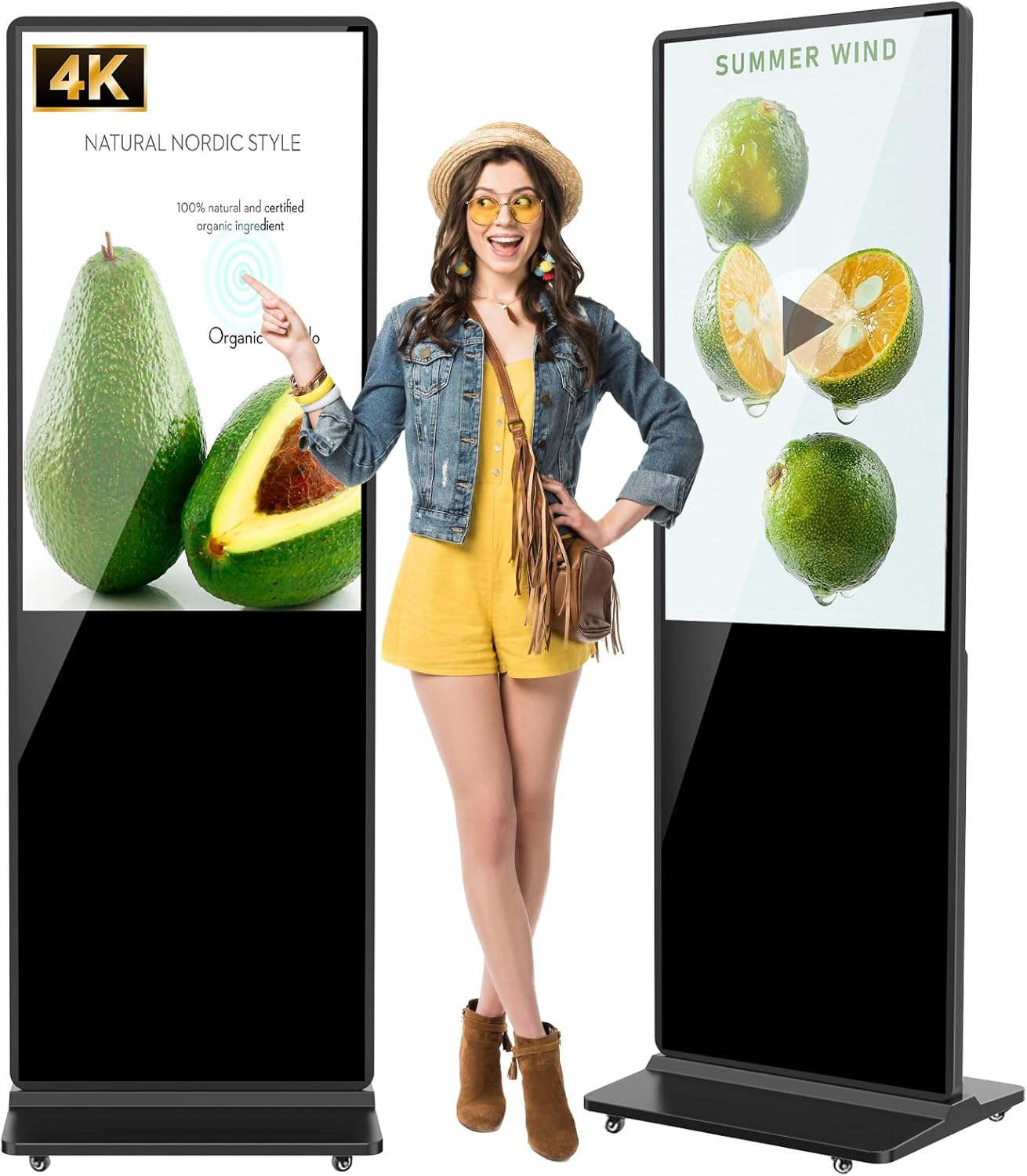
Working with a large digital screen that stays clear and easy to read really matters in places with lots of customers. Designed for busy spots like retail or restaurants, the 43 Inch 4K Touchscreen Digital Signage Kiosk feels solid and shows information crisply, helping guide people and highlight products well.
Setting up is straightforward thanks to the plug-and-play USB support and the remote control makes day-to-day changes quick without needing to be right at the screen. The matte finish on the LCD cuts down on glare, so the display stays visible from different angles, even in brightly lit places.
You can rely on automatic playback to keep content moving without constant attention, which keeps things running smoothly.
Performance-wise, the 16:9 aspect ratio combined with a 2000:1 contrast ratio delivers sharp images and clear text that hold up in busy environments. The build feels sturdy, with an IPS LCD panel that stays vivid across a wide 178-degree viewing angle.
The most frequent praise centers on image clarity and ease of use. Complaint-wise, some mention the screen’s 60 hertz refresh rate is average without extra fluidity for fast updates.
The screen’s clarity and wide viewing angle are praised, making information easy to see in crowded environments. The main drawback noted is the 60 hertz refresh rate, which some users find less smooth for rapidly changing displays. It works well for clear, static or moderately dynamic content.
Places needing dependable, bright, and easily readable signage will benefit from this screen. Locations expecting very fast-moving visuals or requiring audio features might want to consider alternate options.
Pros
- Matte screen reduces glare in bright rooms
- Wide 178-degree viewing angle keeps content visible
- Easy plug-and-play USB setup
- Remote control simplifies content management
Cons
- Refresh rate of 60 hertz may not suit fast content
- No mention of built-in speakers or audio
| Specification | Details |
|---|---|
| Aspect Ratio | 16:9 |
| Screen Finish | Matte |
| Contrast Ratio | 2000:1 |
| Refresh Rate | 60 hertz |
| Display Type | LCD |
| Viewing Angle | 178 degrees |
10. 43 Inch Touch Screen Kiosk Windows 11

Perfect for busy places where lots of people order or look for info, this 43 Inch Touch Screen Kiosk runs Windows 11 and handles apps and browsing without extra gear. Its biggest strength is the large, clear 43-inch touchscreen, bringing sharp and responsive interaction to demanding environments.
Setup involves installing your business applications directly on the kiosk, avoiding the need for an external computer. Daily use benefits from the smooth multi-touch interface, letting users scroll and select easily.
The built-in browser means you can show websites or web-based apps right on the screen. Brightness and wide viewing angles help keep the display readable from almost any position around it.
Performance-wise, the Full HD screen with a 2000:1 contrast ratio delivers vivid, sharp images suited for signage or ordering. The device’s construction supports high traffic use, thanks to a sizeable glossy screen that handles frequent touch without lag.
Most praise highlights its responsiveness and display quality, while a common complaint is its glossy finish, which can cause reflections in certain lighting.
The display impresses with its sharpness and smooth touch response, which suits environments requiring quick, frequent interactions. However, the glossy finish tends to reflect light, making visibility tricky under certain lighting conditions. The brightness level is average, which means very bright venues might find it less ideal.
Anyone needing a large, interactive Windows-based kiosk for controlled indoor spaces will appreciate its features. Venues with strong natural light or outdoor settings should consider alternatives with matte screens and higher brightness. This kiosk suits places like malls, food courts, or retail stores with steady lighting and high user counts.
Pros
- Large 43 inch Full HD touch display
- Responsive multi-touch experience
- Built-in Windows 11 supports apps and browsing
- Wide viewing angle for multiple users
Cons
- Glossy screen can cause reflections
- Brightness of 350 lm may struggle in very bright areas
| Specification | Details |
|---|---|
| Aspect Ratio | 16:9 |
| Screen Finish | Glossy |
| Contrast Ratio | 2000:1 |
| Refresh Rate | 60 hertz |
| Display Type | LCD |
| Viewing Angle | 178 degrees |
11. 32 Inch Touch Screen Kiosk Windows 11 K-Style Stand
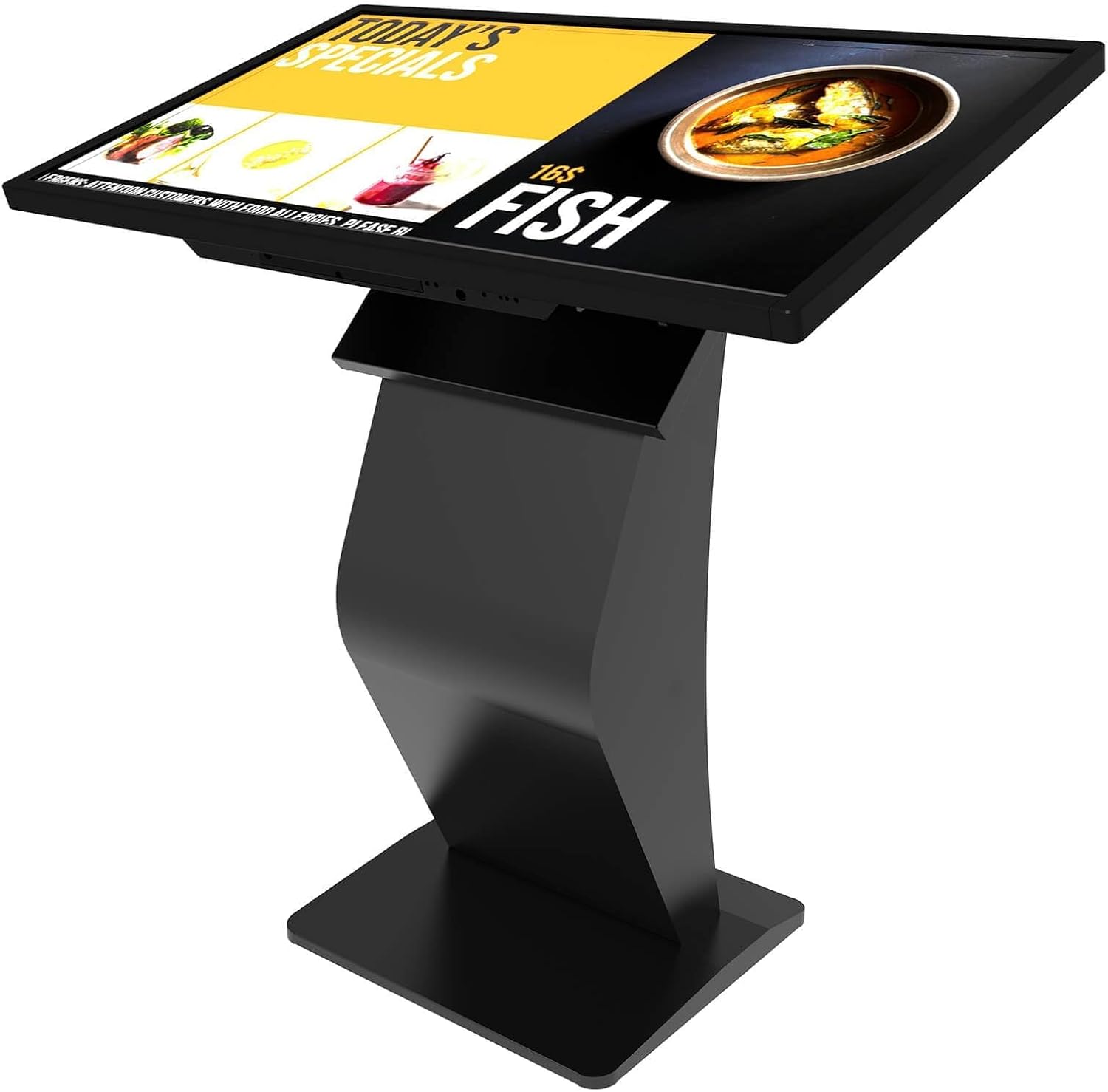
A solid metal frame with a 32 inch full HD touchscreen display makes this kiosk a reliable choice for businesses expecting a lot of traffic. It fits well in busy environments where quick and responsive interactions are essential, especially for self-ordering or information display without extra hardware.
Plugging it in and getting started is straightforward since it runs on Android with Windows 11 compatibility, letting you install apps or browse websites directly. Touch responses stay quick and accurate thanks to the multi-touch technology. Standing on a stable K-style base, it doesn’t wobble during high-speed taps, which is a big help in noisy or crowded settings.
The large 32 inch screen really performs well when it comes to displaying crisp images and recognizing touch inputs instantly. The build feels sturdy and solid enough to survive the rush of daily use, though some mention that it’s a bit bulky to move around once set. Most users appreciate how it eliminates the need for extra computers, but a common frustration is the lack of more color options beyond basic black.
The kiosk gets praised for its bright and responsive 32 inch touchscreen that handles heavy daily use without lag, making navigation and ordering straightforward. Most comments note that while the build is tough, it can feel heavy and hard to reposition after setup. Aesthetics are functional but plain, sticking to all-black design.
Businesses looking for a durable, fixed solution to handle high-volume self-service will find this kiosk a great fit. Locations requiring easy reconfiguration or customization in color might want to consider alternate models. It suits environments where stable, fast touchscreen interaction is key and external PCs aren’t desired.
Pros
- Large, vivid Full HD screen
- Responsive multi-touch technology
- Runs apps without extra PC needed
- Stable K-style stand supports heavy use
Cons
- Limited color choice (only black)
- Bulky and not easy to move
| Specification | Details |
|---|---|
| Display Size | 32 Inch |
| Operating System | Windows 11 |
| Touchscreen | Multi-touch |
| Color | Black |
| Use | Android Apps and Browsing |
12. 32 Inch Touch Screen Kiosk Windows 11 K-Style Stand

Bright and large, the 32 Inch Touch Screen Kiosk with Windows 11 is made for places with constant customer flow. Its standout feature is the crisp, vivid Full HD display that makes interaction easy and clear, perfect for self ordering, retail info, or digital signage in busy environments.
Setting it up requires no extra computer since apps and browser access are built in, simplifying installation. In daily use, the touchscreen responds smoothly to multiple touches simultaneously, allowing customers to move through menus or directories without delay.
The glossy screen maintains good visibility from wide angles, handy when a crowd gathers around.
It delivers on its core purpose with responsive touch input and clear visuals on the 32-inch LCD platform. The solid frame supports frequent usage but some users note glare issues from the glossy finish under direct light. The built-in Windows 11 environment allows for flexible software use, though constant brightness could limit outdoor use.
People appreciate the vivid screen clarity and smooth touch experience that handle high traffic well. The main drawback mentioned is the glossy finish creating glare when lights hit the screen directly, which might affect visibility.
Those needing a clear, feature-rich touchscreen for indoor high-volume settings will find it useful. Locations exposed to bright sunlight should consider alternatives with higher brightness or matte screen finishes.
Pros
- The large 32-inch screen improves readability.
- Responsive multi-touch technology works well
- Built-in Windows 11 supports varied software
- Wide 178-degree viewing angle
Cons
- Glossy finish may cause screen glare
- Brightness at 350 lm limits outdoor usage
| Specification | Details |
|---|---|
| Aspect Ratio | 16:9 |
| Screen Finish | Glossy |
| Contrast Ratio | 2000:1 |
| Refresh Rate | 60 hertz |
| Viewing Angle | 178 degrees |
| Brightness | 350 lm |
Best Kiosks for High Volume Ordering Environments Comparison
| Product | Screen Size | Display Technology | Brightness | Viewing Angle |
|---|---|---|---|---|
| Generic 32″ Digital Kiosk | 32 | IPS | 600 nits | 178 degrees |
| MWE 21.5″ Touch Kiosk | 21.5 | LCD | 450 cd/m² | – |
| Windows 11 32″ Touch Kiosk | 32 | LCD | 350 lm | 178 degrees |
| Windows 11 32″ K-Style Kiosk | 32 | LCD | 400 lm | 178 degrees |
| Android 13 32″ Self-Service Kiosk | 32 | LCD | 500 | 178 degrees |
| CTA Floor Stand Kiosk | – | – | – | – |
| Square iPad Card Reader Stand | – | Tablet Stand | – | – |
| Android 32″ Self-Service Kiosk | 32 | IPS | 450 cd/m² | 178 degrees |
| JIYANG 43″ 4K Touch Kiosk | 43 | LCD, IPS | – | 178 degrees |
| Windows 11 43″ Touch Kiosk | 43 | LCD | 350 lm | 178 degrees |
| Windows 11 32″ K-Style Kiosk | 32 | LCD | – | – |
| Windows 11 32″ K-Style Kiosk | 32 | LCD | 350 lm | 178 degrees |
- Screen Size32
- Display TechnologyIPS
- Brightness600 nits
- Viewing Angle178 degrees
- Screen Size21.5
- Display TechnologyLCD
- Brightness450 cd/m²
- Viewing Angle–
- Screen Size32
- Display TechnologyLCD
- Brightness350 lm
- Viewing Angle178 degrees
- Screen Size32
- Display TechnologyLCD
- Brightness400 lm
- Viewing Angle178 degrees
- Screen Size32
- Display TechnologyLCD
- Brightness500
- Viewing Angle178 degrees
- Screen Size–
- Display Technology–
- Brightness–
- Viewing Angle–
- Screen Size–
- Display TechnologyTablet Stand
- Brightness–
- Viewing Angle–
- Screen Size32
- Display TechnologyIPS
- Brightness450 cd/m²
- Viewing Angle178 degrees
- Screen Size43
- Display TechnologyLCD, IPS
- Brightness–
- Viewing Angle178 degrees
- Screen Size43
- Display TechnologyLCD
- Brightness350 lm
- Viewing Angle178 degrees
- Screen Size32
- Display TechnologyLCD
- Brightness–
- Viewing Angle–
- Screen Size32
- Display TechnologyLCD
- Brightness350 lm
- Viewing Angle178 degrees
How to Choose the Right High-Volume Kiosk
Choosing a high-volume kiosk requires focusing on reliability, speed, and user-friendly design to handle large numbers of orders efficiently. Prioritizing durable materials and easy maintenance reduces downtime and repair costs, ultimately saving money and preventing customer frustration during busy periods.
Durability and Build Quality
Standing kiosks in busy environments quickly show wear, especially around edges and high-touch areas. Many models feel flimsy after a few months, with screens that get scratched or frames that dent easily.
This happens when materials aren’t built for frequent use or harsh cleaning. Stainless steel or high-grade aluminum are common choices that hold up even after regular disinfecting, which is important for food-service settings.
Strong construction includes reinforced corners and shock-absorbent backing that protect electronics inside. A kiosk designed without these can require costly repairs or replacement prematurely. Look for a IP rating indicating resistance to dust and moisture and surfaces that tolerate commercial cleaning chemicals.
A solid frame with smooth finishes makes daily upkeep easier and extends the lifespan under heavy traffic.
User Interface and Responsiveness
Kiosks handling constant orders must have screens that quickly register touch inputs without lag or errors. Sluggish response frustrates customers and slows down lines.
Models with capacitive touchscreens and high refresh rates typically perform better under rapid tapping and multi-touch gestures. Easy navigation through menus helps users order faster, reducing queues.
Clear, well-organized interfaces that minimize the number of taps or screen changes speed up transactions. Compatibility with a wide range of payment methods like chip cards, mobile wallets, and contactless options is vital. Payment readers integrated near the main screen also help avoid bottlenecks at checkout.
Throughput Capacity
Processing orders fast matters most when a dozen people use the kiosk at once. Slower processors or limited memory cause delays that frustrate customers and staff. Machines with quad-core processors and at least 4GB RAM handle simultaneous users better without freezing.
Queuing systems built into the software ensure orders get processed fairly and efficiently.
Kiosks that integrate directly with backend order and kitchen display systems reduce mistakes. Orders flow straight to the kitchen, cutting delays caused by manual input. This integration speeds up the entire ordering cycle and prevents order pileups during rush hours.
Maintenance and Cleaning Ease
Kiosks in food environments suffer from spills, crumbs, and dust that affect performance if not cleaned regularly. Smooth surfaces without crevices make wiping down fast and thorough. Some models have sealed ports to prevent liquid or dirt infiltration.
Maintenance access points should allow easy updates or repairs without dismantling the whole unit. Removable panels or modular components save time during service calls.
Picking kiosks designed for fast cleaning and dust resistance helps maintain hygiene standards and keeps the machines running smoothly daily.
Connectivity and Integration
Reliable connectivity is essential for efficient operation. Devices must connect easily to POS systems and kitchen displays through both wired Ethernet and wireless Wi-Fi, ensuring no interruptions in busy moments.
Routers or network switches handling multiple devices simultaneously keep traffic flowing without delays.
Successful kiosks support integration with inventory tracking and order management software. This helps keep stock levels updated in real time and streamlines order processing. Flexible, industry-standard interfaces and protocols make setting up these connections straightforward and reliable.
Optimizing Workflow Efficiency with Self-Service Kiosks
Self-service kiosks designed for busy ordering environments reduce wait times significantly by handling multiple customers simultaneously. These kiosks streamline the ordering process by providing clear on-screen menus and quick payment options. Staff can focus on order preparation instead of taking orders, which improves overall kitchen throughput.
Touchscreen responsiveness is crucial; sluggish interfaces slow down the queue and frustrate customers. The hardware must support high traffic without overheating or freezing.
Many kiosks include built-in printers for receipts, minimizing extra steps at the counter. Strategically placing kiosks near entrances or waiting areas helps distribute customer flow rather than concentrating it at the register. Using models with large, bright displays ensures orders are easy to see, even in well-lit or outdoor environments.
Investing in stationary kiosks that are easy to clean also matters, especially in food service areas where spills and dirt are common.
Essential Maintenance Practices to Prolong Kiosk Lifespan
Routine cleaning is fundamental to keep kiosks functional and looking presentable. Fingerprints and food residue on screens interfere with touch sensitivity and readability. Use soft, lint-free cloths and mild cleaning solutions specifically designed for electronics.
Checking internal components like fans and vents prevents overheating during busy periods. Software updates should be installed regularly to patch bugs and improve security.
Loose cables or mounting fixtures pose safety risks and can lead to hardware damage if ignored. Replacing worn touchscreen protectors maintains responsiveness and avoids the need for expensive repairs.
It helps to conduct frequent system reboots to clear temporary files and refresh the device’s performance. An accessible technical support plan reduces downtime by addressing malfunctions quickly. Proper power management, such as using surge protectors, guards against electrical issues that can shorten kiosk lifespan.
Comparing Integrated Software Solutions for High-Volume Ordering Kiosks
Software tailored for high-volume ordering kiosks varies significantly in features and usability. Some platforms offer strong inventory integration that updates menus instantly as stock levels change. Others focus on payment variety, supporting multiple card types and mobile wallets to speed checkout.
User interface design differs, with some offering customizable layouts that fit specific branding needs. Reporting capabilities also vary; detailed analytics help managers track popular items and peak times for better staffing decisions.
It is important to consider compatibility with existing POS systems to avoid disruptions. Cloud-based solutions provide remote management convenience, while on-premise software may offer faster transaction speeds under high volume. Support and training options from providers influence how quickly staff can learn the system, which impacts day-to-day operations.
Evaluating these factors helps choose software that balances functionality with ease of use in fast-paced environments.
People Also Asked
How Do I Maintain a Kiosk for High-Volume Ordering Environments?
Regular cleaning of the touchscreen and internal components is key to maintaining kiosks in busy spots. Schedule daily wipe-downs and weekly deep cleanings to keep the system responsive and hygienic.
What Size Kiosk Is Ideal for Busy Ordering Locations?
A 21 to 27-inch touchscreen strikes a good balance between visibility and space use for busy areas. This size offers enough screen real estate without overcrowding the counter or causing bottlenecks.
Are Kiosks Safe to Use in Crowded Public Spaces?
Kiosks made with sturdy, tamper-resistant materials provide adequate safety in crowded environments. Secure mounting to the floor or wall helps prevent theft or damage during peak hours.
Which Payment Systems Are Compatible with High-Volume Kiosks?
Most high-volume kiosks work with common payment options like credit cards, mobile pay apps, and NFC contactless readers. Choosing units with multiple payment compatibility reduces transaction delays.
What Common Problems Should I Expect with Ordering Kiosks?
Frequent issues include touchscreen calibration drift and slow network connections. Regular software updates and proactive hardware checks can minimize downtime and customer frustration.
Conclusion
Durability and speed are key when selecting kiosks for high-volume ordering settings. The devices should handle continuous use without frequent breakdowns and process orders quickly to keep lines moving. Easy user interaction also plays a major role, making it smoother for customers and reducing mistakes at the kiosk.
Consider the physical space where the kiosk will be installed and choose a size and design that fits without causing congestion. Budget limits and how heavily the kiosk will be used over time should also guide the choice.
Review the comparison table and detailed picks above to find options that meet these needs and suit your specific environment.