
Top 12 Best Salon POS That Will Boost Your Business Now
Salon managers frequently deal with POS systems that freeze during busy times or struggle to manage several transactions at once. A cheap or poorly chosen best salon pos may lag, lose data, or lack essential functions, disrupting appointments and cash flow.
These common issues not only frustrate staff but also slow down service, leading to unhappy clients and a cramped schedule.
Choosing a reliable salon POS means focusing on software stability, user-friendly interfaces, and hardware designed for fast, accurate transactions. A well-designed system supports inventory management and appointment scheduling without frequent crashes. Typical quality terminals have responsive touchscreens around 10 inches, solid connectivity options like ethernet or Wi-Fi, and software that integrates easily with popular payment processors and customer databases.
Need a Quick Check?
| Image | Product | Price |
|---|---|---|
Our Top Picks 1  | Square Register 2nd Gen | Check Price |
Our Top Picks 2  | Amazon Fire 10″ POS | Check Price |
Our Top Picks 3  | PS10 NFC Android POS | Check Price |
Our Selected Top 12 Salon Pos Picks for Every Need
This list features a variety of salon point-of-sale systems designed to meet different business needs. Each review explains how the software performs, identifies the ideal users, and highlights its strengths and weaknesses to help you find the best fit for your salon.
1. Square Register 2nd Generation
Square Register 2nd Generation stands out in salon POS options with its combination of dual responsive touchscreens and built-in software, making it ideal for busy counters. It suits salons that need a fast, reliable checkout system capable of handling complex orders without slowing down service.
Setting up is straightforward; you connect it to your network via Wi-Fi, Bluetooth, or USB, then plug it into a power source. Daily use benefits from its bright responsive touchscreen displays, allowing quick navigation through menus and orders.
Payments go through swiftly thanks to high-speed processing and memory, helping you keep the line moving even during peak hours.
Performance-wise, it handles large orders smoothly without lag or timeout issues, which is critical in a busy salon environment. Its IP54-rated casing means it resists spills and dust effectively, a must for day-to-day rough handling.
Positive comments often highlight its speed and touchscreen responsiveness, but some note the corded electric setup can limit counter placement flexibility.
Speed and reliability during busy shifts receive frequent praise, showing the system manages complex and big orders well. However, the corded design is commonly mentioned as a drawback because it restricts where the device can be positioned.
Ideal for salons that prioritize fast checkout and reliable multitasking, especially those with fixed counter setups. Those needing a more flexible or wireless solution should look elsewhere to avoid power source limitations.
Pros
- Dual responsive touchscreen displays
- Accepts all major cards at one flat rate
- Next-business-day fund deposits
- Durable, spill- and dust-resistant design
Cons
- Requires corded electric power source
- Might limit placement on some counters
| Specification | Details |
|---|---|
| Power Source | Corded Electric |
| Connectivity Technology | Bluetooth, USB Cable, Wi-Fi |
| Compatible Devices | POS, Smartphone, Tablet |
| Design Rating | IP54-resistant against spills and dust |
2. Amazon Fire Tablet 10-inch POS System
Datio POS offers the Amazon Fire Tablet 10-inch POS System as an all-in-one setup aimed at retail shops and quick-serve restaurants. Its biggest strength lies in combining cash drawer, receipt printer, and register base into one compact package, making daily sales smoother with Fire Tablet compatibility.
Setup requires pairing your own compatible 10-inch Amazon Fire Tablet with the register base and stand. The included thermal printer and secure cash drawer plug right in, creating a tidy point of sale station. The Datio POS app handles payments, updates, and support, with options for flexible card processing or manual cash tracking at checkout.
Performing well as a retail register, the system manages sales transactions and printing consistently. The build feels solid for its size, weighing 17 pounds and measuring 16 by 16 by 12 inches, holding all necessary parts securely. Most praise points to the integration and convenience; common complaints mention having to supply the tablet separately.
People appreciate how everything needed for a POS station is included except the tablet, but many find buying the compatible Fire Tablet separately inconvenient. The mixture of functions into one station suits busy sales points well.
Shops using a 10-inch Amazon Fire Tablet will find this setup practical and efficient, especially with flexible payments. Those wanting a lightweight or fully bundled device might want to keep looking.
Pros
- All-in-one POS setup reduces clutter
- Works with Amazon Fire Tablet easily
- Subscription covers software and support
- Flexible payment options available
Cons
- Tablet not included with hardware
- Weighs 17 pounds, may be less portable
| Specification | Details |
|---|---|
| Product Dimensions | 16 x 16 x 12 inches |
| Item Weight | 17 pounds |
| Compatibility | 10″ Amazon Fire Tablets |
| Subscription | $64/month includes software, updates, support, warranty |
| Payment Processing | Datio Credit Card Payments via Worldpay or own terminal |
3. PS10 NFC Android Handheld POS Terminal
Carrying a full POS system in one compact device feels surprisingly natural and practical, especially for businesses needing mobility without compromise. Ideal for environments like food trucks, markets, or busy restaurant floors, it shines in handling orders, payments, and printing receipts all at once without juggling multiple gadgets.
Setup happens through the Android interface which most will find familiar and responsive. Daily tasks like taking orders and payment processing flow smoothly thanks to NFC contactless payments and a responsive touchscreen. The built-in thermal printer removes the hassle of carrying extra printers or dealing with ink, making printing receipts or kitchen tickets quick and easy on the spot.
It handles its core job of order processing, payments, and printing reasonably well, with printing speed meeting typical small business needs. The device’s build is solid yet lightweight enough to hold comfortably during long shifts. Most users appreciate the all-in-one nature but some mention the limitation in print speed and the monochrome output as drawbacks.
Strong praise highlights the convenience of combining order taking, payment, and printing into a single handheld device that performs well for mobile environments. The most common complaint notes that the printer’s speed is quite slow and restricted to black and white output, which can slow down busy operations or feel basic.
This fits users who need a mobile, versatile POS with instant receipt printing and NFC payments in one lightweight tool. Those requiring faster print speeds or color receipt options should explore other terminals better suited for high-volume or visually detailed printing needs.
Pros
- Compact all-in-one POS device for mobile use
- Built-in 58mm thermal receipt printer with no ink
- Accepts NFC contactless payments efficiently
- Runs on familiar Android 14 interface
Cons
- Print speed limited to 1 page per minute
- Receipt printing only in monochrome
| Specification | Details |
|---|---|
| Printer Type | Thermal |
| Print Media | Thermal Paper |
| Ink Color | Black |
| Processor Count | 8 |
| Item Weight | 600 g |
| Item Dimensions (D x W x H) | 8.62″ x 3.15″ x 0.7″ |
4. Salon Software Point of Sale System
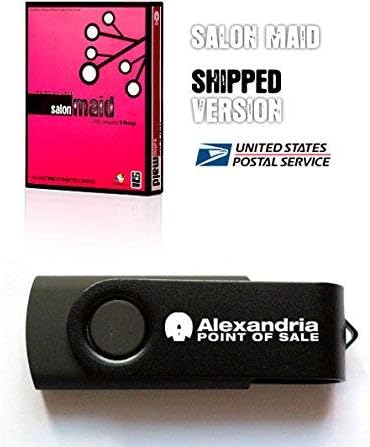
Simple and straightforward, Salon Software Point of Sale System fits salons wanting reliable appointment and sales management without extra complications. Its biggest strength lies in handling bookings and payments efficiently, making day-to-day transactions smooth and organized for small to mid-sized setups.
Setup takes just a few steps, connecting easily with the salon’s existing hardware. Daily use centers on quick appointment scheduling and payment processing with clear touchscreen options. The software tracks clients and services automatically, cutting down admin work and helping keep everything in one place without a steep learning curve.
Performance is solid for appointment management and point-of-sale tasks, working without noticeable delays. The build is entirely software-based, focusing on intuitive design rather than heavy customization.
Reviews praise its simplicity and speed, though some mention limited features for bigger salons with more complex needs.
Users appreciate the straightforward approach to booking and payments, finding it reliable during busy hours. A frequent issue is the lack of advanced tools for managing multiple locations or complex scheduling. Everyday tasks stay manageable and mostly stress-free with this software for smaller setups.
Salons focusing on basic appointment and sales tracking will find this software suitable and easy to use. Larger salons or those needing detailed reports and multiple-user access might want to explore other options with more scalable features.
Pros
- Simple interface for quick learning curve
- Efficient appointment and payment handling
- Works on both Windows and Mac systems
- Basic inventory tracking included
Cons
- Lacks advanced features for large salons
- Limited customization options available
| Specification | Details |
|---|---|
| Compatibility | Windows and Mac |
| Appointment Scheduling | Yes |
| Payment Processing | Supports major cards and cash |
| Customer Management | Built-in client database |
| Inventory Tracking | Basic stock management |
5. Panther Workstation All-in-One POS

Metal construction and a modern design make Panther Workstation All-in-One POS a solid choice for salons, cafes, and similar small businesses. Its biggest strength lies in combining essential POS components into a single, user-friendly machine that handles payments, receipts, and scanning with ease.
Setup requires configuring a new merchant account before the equipment ships, which is necessary for operation. Once up and running, the touchscreen interface, receipt printer, and barcode/ID scanner work together smoothly for daily transactions.
The tipping interface is designed to simplify the process, making it quick for customers to add tips, and Ethernet connectivity ensures steady communication with your network.
Performance centers around reliable payment acceptance and solid build quality with a sturdy metal cash drawer. Reviews highlight how intuitive and straightforward the touchscreen is during busy times.
The main complaint is the extra step for setting up a merchant account, which can delay getting started compared to plug-and-play options. Still, the device handles salon sales tasks well and keeps things organized.
Positive feedback often points out how intuitive the touchscreen and tipping interface make daily transactions. Frequent drawback mentioned is the necessity to set up a merchant account first, which can hold up initial use of the device.
Salons and similar small businesses that want an all-in-one system will appreciate the streamlined design and integrated hardware. Those needing wireless connectivity or a plug-and-play setup might want to explore other options.
Pros
- User-friendly touchscreen interface
- Integrated payment acceptance
- Sturdy metal cash drawer
- Optimized for tipping
Cons
- Requires new merchant account setup before shipping
- Limited to Ethernet connectivity
| Specification | Details |
|---|---|
| Connectivity Technology | Ethernet |
| Compatible Devices | POS |
| Components | Touchscreen, Receipt Printer, Barcode/Id Scanner |
| Cash Drawer | Metal |
6. SmartPOS-129 Professional Cash Register

SmartPOS-129 is a professional all-in-one cash register designed for busy salons and retail environments. It stands out by including everything needed right out of the box without any hidden fees or forced subscriptions, making it ideal for anyone wanting straightforward, reliable equipment.
Setup involves connecting the 15 cashier touchscreen and the matching 15 customer-facing promo display, both of which are clear and responsive. The included cash drawer, handheld scanner, and thermal printer cover all checkout steps, so daily operations flow smoothly without juggling extra devices or paying for add-ons. Battery operation is supported by a single included lithium-ion battery, which adds a bit of flexibility.
Its main job as a POS system is done well, with solid hardware built to last. The overall size is fairly substantial at 21 x 22 x 35 inches, and it weighs nearly 54 pounds, so it’s best suited on a dedicated counter space. The best feature noted is the ready-to-use setup with no additional costs, while common feedback mentions its bulkiness and weight as drawbacks for smaller locations.
The SmartPOS-129 receives praise for its comprehensive setup with no surprise fees, ensuring all day-to-day needs are covered efficiently. However, many users find its size and weight to be cumbersome, especially when counter space is limited or portability is desired.
Those running medium to large salons or retail stores with ample counter space will appreciate its all-in-one convenience. Users looking for a compact or lightweight option may want to consider a smaller POS system better suited for tight spaces.
Pros
- Comes with all essential POS hardware included
- No hidden fees or subscription requirements
- Customer-facing promo display improves client engagement
- Battery included for flexible use
Cons
- Relatively large and heavy for limited counter space
- Not very portable due to size and weight
| Specification | Details |
|---|---|
| Product Dimensions | 21 x 22 x 35 inches |
| Item Weight | 53.9 pounds |
| Display Size (Cashier) | 15 inches |
| Display Size (Customer) | 15 inches |
| Batteries Required | 1 Lithium Ion (included) |
7. Square Terminal Mobile POS

Perfect for salons needing quick, flexible payment options, Square Terminal Mobile POS combines payment processing, sales, and receipt printing in one compact device. Its biggest strength is the ability to ring up customers anywhere in the store without dealing with multiple gadgets or cables.
Setup is straightforward, with a single device handling everything from sales to printing receipts. The built-in battery supports all-day cordless use, which means no interruption during busy hours.
Accepting all major credit and debit cards at a single, simple rate removes the confusion around fees. The compact size also allows it to fit easily on counters or be carried around the salon.
Handling chip cards is fast, processing payments in about two seconds. Construction is lightweight at just under 15 ounces, which makes it comfortable to hold for long periods.
Most users appreciate the quick turnaround of funds by the next business day. Some find the printing speed slower compared to separate receipt printers, but that’s a trade-off for the all-in-one convenience.
Many users praise how quickly payments are processed and the convenience of an all-in-one device. Some note slower receipt printing as a drawback, which can affect quick service moments. The battery lasts long enough under typical conditions but might drain faster during extended, busy days.
Salons that need mobility and simplicity will appreciate how this device cuts out extra equipment and paperwork. For those who print receipts non-stop or require lightning-fast printing, a separate printer might be worth considering instead.
Pros
- Accepts all major credit and debit cards
- No long-term contracts
- Built-in battery lasts all day
- Prints receipts on the spot
Cons
- Receipt printing slower than dedicated printers
- Battery life may vary with heavy use
| Specification | Details |
|---|---|
| Product Dimensions | 5.6 x 3.4 x 2.5 inches |
| Item Weight | 14.7 ounces |
| Battery Type | 1 Lithium Ion battery (included) |
| Payment Processing Speed | Chip cards in 2 seconds |
| Manufacturer | Square |
8. Volcora Retail and Restaurant POS Terminal

Handling fast-paced retail or food service counters requires a POS terminal that stays reliable and saves space. The Volcora Retail and Restaurant POS Terminal suits small to medium businesses looking for a compact system without sacrificing power.
Its biggest strength is combining an attractive design with dependable Windows 11 Pro performance.
Setting it up is straightforward, especially with multiple USB and Ethernet ports ready for peripherals and network connections. The compact 4 x 8 x 8 inches footprint lets you keep your counter uncluttered.
Using it daily, the Intel Core i5 processor handles order entries and customer payments smoothly, while its HDMI output supports easy display extensions. The metal base offers solid stability during busy shifts.
Performance-wise, the terminal manages routine tasks without lag, thanks to the 4 GB memory paired with the Core i5 CPU. The Windows 11 Pro OS supports most POS software, making it flexible. The minimalist white design with a heavy-duty metal base combines sturdiness with style.
Common praise highlights its stable build, while the storage size of 128 GB sometimes feels tight for larger inventories or media files.
Sturdiness and compactness come up often as strengths, providing a solid and space-efficient setup. The 128 GB hard disk size is frequently mentioned as a limitation, especially when dealing with larger files or extensive inventories.
Ideal for businesses needing a reliable, compact POS with solid performance and Windows compatibility. Those requiring larger storage or heavier multitasking might want to consider options with more memory and disk space.
Pros
- Compact design saves counter space
- Multiple connectivity options
- Stable metal base for secure setup
- Runs Windows 11 Pro smoothly
Cons
- Limited 128 GB storage
- 4 GB memory may limit heavy multitasking
| Specification | Details |
|---|---|
| Operating System | Windows 11 Pro |
| Processor | Intel Core i5 High-Performance CPU |
| Memory | 4 GB |
| Hard Disk | 128 GB Hard Disk |
| Connectivity | Two serial ports, Four USB ports, HDMI output, Ethernet port |
| Dimensions | 4 x 8 x 8 inches |
9. All-in-One 15.6 Touch Screen POS System

A 15.6-inch capacitive touchscreen makes handling transactions straightforward, fitting for busy salons needing quick and clear customer info display. Its biggest strength lies in the HD display resolution of 1366×768, which responds fast and keeps the workflow smooth during rush hours.
Setup involves plugging in multiple ports including USB, network, and COM for various devices your salon might use. Day-to-day running benefits from Windows support and compatibility with many software options, though the software itself isn’t included.
The touchscreen responds well, making checkouts faster, while the dual-core i3 CPU and RAM options keep it running without slowdowns.
Built to handle frequent use, it performs well with customer data and payment processing. The combination of 4 or 8GB RAM and SSD storage offers solid speed and reliability.
Reviews note the system feels sturdy and reliable but users mention the absence of included software as a downside needing extra setup effort.
The system’s clear HD touchscreen and fast response rate stand out as its strongest features, making transaction handling smooth and straightforward. The most pointed complaint is the lack of included software, requiring users to invest additional effort in finding compatible solutions.
Those running small to mid-sized salons valuing an adaptable Windows platform with easy device integration will appreciate this setup. Salons needing an all-in-one ready-to-go package without extra software work should explore other options that include software out-of-the-box.
Pros
- Fast touchscreen response feels natural and clear
- Multiple USB and network ports for device connections
- Windows-based for broad software compatibility
- Good balance of memory and storage options
Cons
- Software not included requires separate purchase
- Moderate weight could affect countertop space
| Specification | Details |
|---|---|
| Screen Size | 15.6 inches |
| Resolution | 1366×768 |
| CPU | i3 dual-core |
| RAM | 4/8GB |
| Storage | 64/128GB SSD |
| Weight | 13.2 pounds |
10. SmartPOS NX2 Point of Sale System
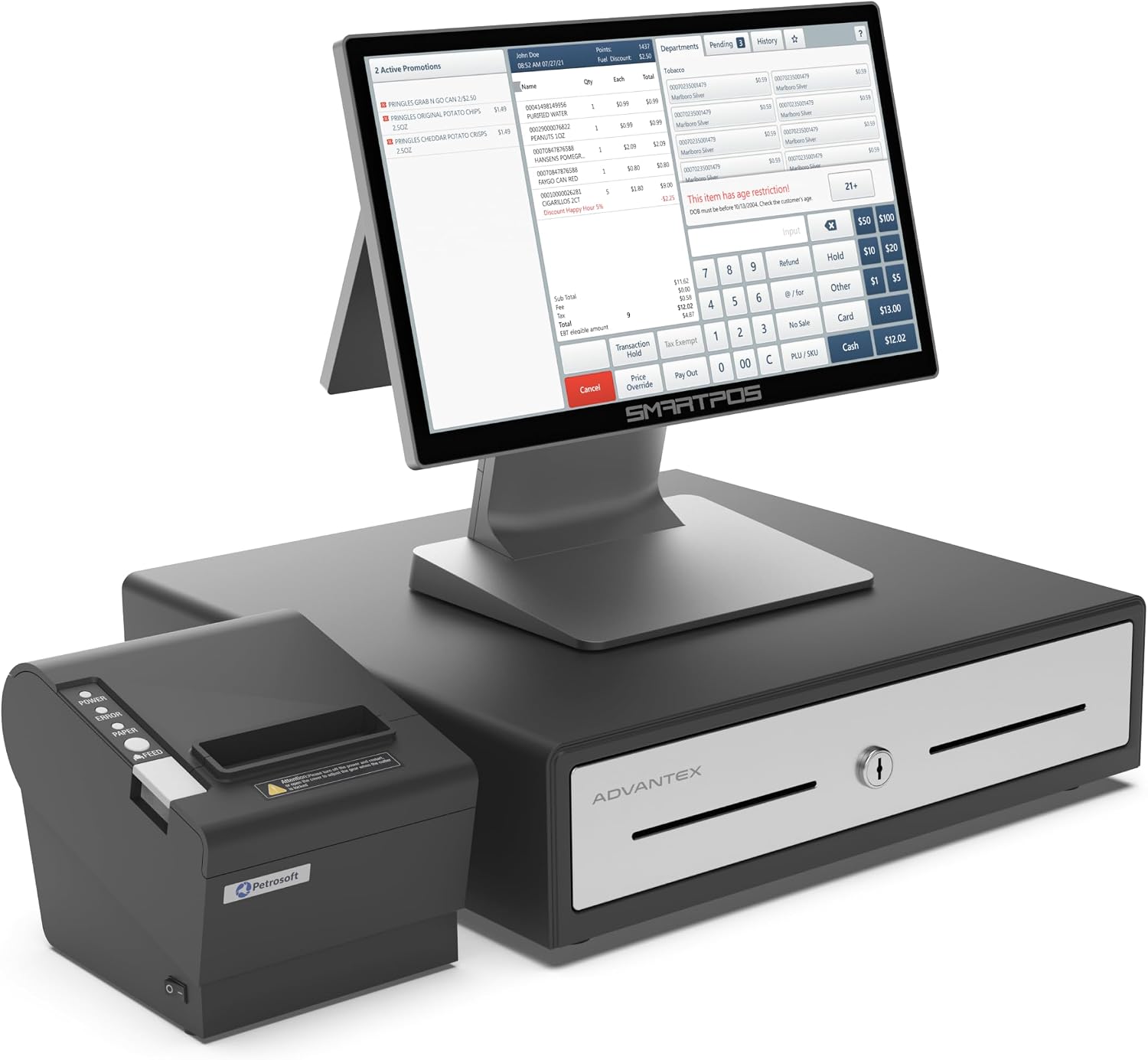
Small retail or convenience store managers seeking a complete, ready-to-go register will find this all-in-one system meets every basic need in one package. Its biggest strength lies in having everything you need – from touchscreen to cash drawer – included out of the box, so no extra hardware hunting is required.
Setting it up does not require messing with separate parts since the touchscreen, receipt printer, cash drawer, and customer display arrive as one ready-made unit. Day-to-day use centers on the 15.6 cashier touchscreen, which is large and responsive for ringing up sales quickly. The absence of subscription fees means you just focus on selling, without ongoing software costs.
Plus, the 50+ payment processor options provide flexibility for your preferred payment gateway.
Sales transactions run smoothly, and the hardware feels solid enough for daily use in a busy small business. The combined hardware and software approach works well without complicated setup. Some users note the system is quite heavy at 47.4 pounds, making it less portable.
The stable performance and all-in-one format get praised the most, while weight and size might bother those with limited counter space.
Many appreciate having a complete POS system ready to operate out of the box, combining screen, printer, drawer, and customer display. However, its heft and bulkiness are often mentioned, which could be challenging for businesses with space constraints or needing portable solutions.
Small shops and convenience stores wanting a reliable setup without extra hardware shopping will find it fitting well. Those needing a lightweight or more compact system might want to explore alternative options better suited for tighter areas or mobility.
Pros
- All-in-one hardware and software included
- Large 15.6″ touchscreen for ease of use
- No subscription fees for software
- Supports over 50 payment processors
Cons
- Quite heavy at 47.4 pounds
- Large package size needs ample counter space
| Specification | Details |
|---|---|
| Cashier touchscreen size | 15.6″ |
| Item Weight | 47.4 pounds |
| Package Dimensions | 25 x 21.5 x 14.5 inches |
| Manufacturer | Petrosoft |
| Payment Processor Integrations | 50+ |
11. A9 All-in-One POS System

This all-in-one POS is made for salons that want a reliable and versatile checkout system, featuring both a main and a customer-facing touch screen. Its biggest strength is the smooth operation powered by Windows 10 and solid hardware, making transactions straightforward.
Setup involves plugging in the system and connecting your existing accessories. The 15.6-inch touchscreen responds quickly to taps, while the smaller 11.6-inch customer display keeps clients informed and engaged during service.
Smart temperature control helps it run cool even through long business hours without glitching or slowing down.
Performance is steady, handling sales and appointment tracking without lag. The built-in 8GB RAM and 128GB SSD help keep it snappy.
Build quality feels sturdy, and the device is surprisingly lightweight at 15 pounds for an all-in-one desktop. Some users note the resolution (1366×768) feels a bit low compared to modern screens, but it doesn’t majorly impact day-to-day tasks.
The biggest praise highlights the reliable speed and efficiency during long shifts, thanks to the 8GB RAM and SSD. The common complaint is about the screen’s resolution, which some find less sharp compared to more modern displays but still functional in daily use.
Salons that want a dependable all-in-one system with clear customer display windows will appreciate this. Those needing higher resolution screens or very simple plug-and-play setups might look at other options with updated displays or different operating systems.
Pros
- Dual touchscreen displays improve workflow
- Smart temperature controls reduce overheating risks
- Fast performance with 8GB RAM and SSD
- Compact and lightweight at just 15 pounds
Cons
- Screen resolution is modest at 1366×768
- May require Windows familiarity for setup
| Specification | Details |
|---|---|
| Operating System | Windows 10 |
| Motherboard | AMD R2314 |
| RAM | 8GB |
| Storage | 128GB SSD |
| Main Touchscreen Size | 15.6 inches |
| Customer Display Size | 11.6 inches |
12. SumUp POS Lite 13 Touchscreen POS

SumUp POS Lite 13 Touchscreen POS is perfect for salon professionals wanting to simplify checkout without any monthly fees. Its main appeal lies in no fixed contract, so you pay only when a card is swiped, making it flexible and budget-friendly. The built-in touchscreen and free POS software handle transactions smoothly.
Setting up takes only a few minutes since the software comes pre-installed, and updates happen automatically. The touchscreen interface is intuitive, letting you process payments quickly during busy hours. Its stand keeps the unit stable on the counter, while the tablet size fits well in tight spaces, ideal for salons with limited surface area.
Performance is steady, with every payment processed reliably thanks to the 2.6% + 10 fee per card reader transaction. The die-cast aluminum stand feels solid and durable, adding a professional look without extra bulk. Some users mention the device’s 6.11-pound weight as a slight drawback since it’s not the lightest, but sturdy construction is its biggest selling point.
The device consistently processes payments without hiccups and stays updated automatically, which users find very convenient. The most frequent downside mentioned is its weight, which may feel cumbersome if you need to move it often.
Ideal for small salons wanting a straightforward, no-contract POS system with dependable hardware. Larger salons with heavy daily sales could look for options with lower transaction fees and lighter hardware.
Pros
- No fixed monthly fees or binding contract
- Free pre-installed POS software with updates
- Durable die-cast aluminum stand included
- User-friendly touchscreen interface
Cons
- Weighs 6.11 pounds, somewhat heavy to move
- Payment fees can add up with high sales volume
| Specification | Details |
|---|---|
| Package Dimensions | 15.05 x 12.01 x 5 inches |
| Item Weight | 6.11 pounds |
| Manufacturer | SumUp |
| Payment Fee | 2.6% + 10 per card reader payment |
| POS Software | Free pre-installed and updates automatically |
Best Salon POS Systems Comparison Table
| Product | Weight | Dimensions | Power Source | Connectivity |
|---|---|---|---|---|
| Square Register 2nd Gen | – | – | Corded Electric | Bluetooth, USB, Wi-Fi |
| Amazon Fire 10″ POS | 17 pounds | 16 x 16 x 12 in | – | – |
| PS10 NFC Android POS | 600 g | 8.62 x 3.15 x 0.7 in | – | – |
| Salon Software POS | – | – | – | – |
| Panther Workstation POS | – | – | – | Ethernet |
| SmartPOS-129 Cash Register | 53.9 pounds | 21 x 22 x 35 in | Lithium Ion battery | – |
| Square Terminal Mobile POS | 14.7 ounces | 5.6 x 3.4 x 2.5 in | Lithium Ion battery | – |
| Volcora Retail & Restaurant POS | – | 4 x 8 x 8 in | – | Ethernet, HDMI, USB |
| All-in-One 15.6″ POS | 13.2 pounds | 18.5 x 17.32 x 11.02 in | – | – |
| SmartPOS NX2 System | 47.4 pounds | 25 x 21.5 x 14.5 in | – | – |
| A9 All-in-One POS | 15 pounds | 24 x 17 x 16 in | – | – |
| SumUp POS Lite 13 Touch | 6.11 pounds | 15.05 x 12.01 x 5 in | – | – |
- Weight–
- Dimensions–
- Power SourceCorded Electric
- ConnectivityBluetooth, USB, Wi-Fi
- Weight17 pounds
- Dimensions16 x 16 x 12 in
- Power Source–
- Connectivity–
- Weight600 g
- Dimensions8.62 x 3.15 x 0.7 in
- Power Source–
- Connectivity–
- Weight–
- Dimensions–
- Power Source–
- Connectivity–
- Weight–
- Dimensions–
- Power Source–
- ConnectivityEthernet
- Weight53.9 pounds
- Dimensions21 x 22 x 35 in
- Power SourceLithium Ion battery
- Connectivity–
- Weight14.7 ounces
- Dimensions5.6 x 3.4 x 2.5 in
- Power SourceLithium Ion battery
- Connectivity–
- Weight–
- Dimensions4 x 8 x 8 in
- Power Source–
- ConnectivityEthernet, HDMI, USB
- Weight13.2 pounds
- Dimensions18.5 x 17.32 x 11.02 in
- Power Source–
- Connectivity–
- Weight47.4 pounds
- Dimensions25 x 21.5 x 14.5 in
- Power Source–
- Connectivity–
- Weight15 pounds
- Dimensions24 x 17 x 16 in
- Power Source–
- Connectivity–
- Weight6.11 pounds
- Dimensions15.05 x 12.01 x 5 in
- Power Source–
- Connectivity–
How to Choose the Right Salon POS System
Choosing a good salon POS system depends on ease of use, reliable appointment scheduling, and secure payment processing. Prioritizing these factors ensures smoother daily operations, reduces errors, and minimizes costly delays or customer dissatisfaction over time.
Ease of Use
Most salon staff don’t have time to deal with complicated systems during peak hours. A confusing interface slows down checkout and frustrates both clients and employees. With an intuitive interface, even new hires or less tech-savvy team members can handle transactions smoothly.
Quick navigation means entering services or product sales happens in seconds, cutting wait times at the register.
Look for software where the main functions are clearly labeled and accessible within two or three clicks. Features like a touchscreen-friendly layout and customizable shortcuts make daily operations faster.
When the software reacts instantly to input, your staff can stay focused on clients instead of fumbling with the system.
Integration and Compatibility
Connecting existing devices like receipt printers or card terminals to the system saves extra expenses and setup hassles. Some systems struggle with hardware compatibility, leading to errors or incomplete receipts. This disrupts workflow and wastes time.
Also, the ability to plug into widely used payment processors means faster transactions and often lower fees.
Synchronization with scheduling and inventory software streamlines salon management. The system should support common third-party apps through direct connections or APIs. This keeps booking calendars, stock levels, and sales data updated everywhere automatically, eliminating the need for manual entries or cross-checks.
Features and Functionality
Functionality that matches a salon’s daily needs makes the system worth using. Appointment booking integrated directly into the software reduces double bookings and missed clients.
Having customer profiles with past services and preferences accessible allows for personalized care and promotions.
Inventory tracking tailored to salon items like hair dyes and treatment products helps avoid surprises at reorder time. Regular sales and performance reports are essential for spotting trends and managing staff or promotions effectively.
Look for tools that generate clear summaries and can export data easily for deeper analysis.
Security and Compliance
Payment data and personal client information must be protected against theft or breaches. Systems that encrypt this data during transactions and storage prevent unauthorized access.
Many salons face fines if their POS does not meet the PCI DSS security standards, so compliance is non-negotiable.
User access controls are critical. Not every staff member should have full system permissions.
Restricting actions like price changes or data exports to managers reduces mistakes and insider risks. Look for solutions that allow customizable roles and password protection for sensitive functions.
Customer Support and Reliability
Technical support availability makes a big difference when unexpected problems arise at the register. Options like live chat or phone support during salon hours ensure quick fixes and prevent sales losses. Staff training resources, whether online or on-site, help keep everyone confident in using the system.
Frequent software updates not only fix bugs but add usability improvements and security patches. Reliable systems advertise uptime percentages close to 99.9%, meaning downtime is rare and brief.
Downtime can cause long lines and lost revenue, making trust in a stable system a practical priority.
Optimizing Your Salon POS for Enhanced Customer Experience
Faster checkouts make a big difference during busy hours at salons. Selecting a POS system that processes transactions quickly keeps lines moving and customers satisfied. Many salon POS systems allow customized service menus and pricing, which helps reduce errors during checkout.
Features like automated appointment reminders reduce no-shows, saving time and preventing revenue loss.
Focus on these capabilities:
- Integrated payment processing for various cards and mobile wallets.
- Customer profiles that track past services and product purchases.
- Real-time appointment scheduling visible to all staff.
- Inventory management to monitor retail product levels.
These functions not only speed up transactions but also personalize the experience, making clients feel known and well cared for. Staff efficiency improves because they spend less time on administrative tasks and more on client interaction.
Common Mistakes to Avoid When Using Salon POS Systems
Many salons lose valuable time because their POS is not set up properly from the start. Common issues include using generic service categories that don’t match what the salon actually offers, leading to confusion at checkout.
Another mistake is not training all employees thoroughly on the system’s features, which results in inconsistent data entry.
Typical pitfalls:
- Ignoring updates and software patches, causing glitches or security vulnerabilities.
- Failing to back up data regularly, risking loss of client and sales information.
- Double booking because the calendar isn’t synced or checked carefully.
- Not integrating POS with marketing tools, missing chances to promote products or services.
Ensuring clean, accurate entries and educating staff on proper usage prevent many headaches. Keeping the system current and backed up avoids disruptions and lost data.
Comparing Salon POS Software with Traditional Booking Methods
Traditional booking methods like phone calls or walk-ins rely heavily on staff availability and memory. Paper appointment books can lead to errors, missed bookings, or double scheduling. Salon POS software centralizes appointments, allowing clients to book online any time and staff to view updated calendars instantly.
Pros of salon POS software over traditional methods include:
- Automated reminders to reduce missed appointments.
- Streamlined payment processing right after the service.
- Detailed reports on sales, client trends, and employee performance.
- Inventory tracking aligned with sales data.
Manual systems may feel straightforward but often demand more administrative work and don’t provide business insights. POS software adds efficiency and helps prevent human errors that come with paper methods.
People Also Asked
How Do I Properly Care for My Salon POS System?
Clean the touchscreen regularly with a soft, damp cloth and keep the system updated with the latest software. Avoid spilling liquids on the device and use surge protectors to prevent damage from power fluctuations.
Is This Salon POS Compatible with My Current Software?
Compatibility varies by system, so check if the POS integrates with your appointment scheduling or accounting software. Look for API support or pre-built integrations to save time on manual data entry.
What Common Problems Should I Expect with Salon POS Systems?
Expect issues like slow software updates, occasional freezes, or connectivity problems with card readers. Regularly backing up data and keeping hardware clean can reduce disruptions.
How Long Does a Typical Salon POS Last Before Needing Replacement?
A salon POS generally lasts 5 to 7 years but may require parts like card readers or printers to be replaced sooner depending on use. Software support also influences how long the system stays effective.
How Do I Set up and Use a New Salon POS System?
Follow the manufacturer’s installation guide carefully, starting with connecting hardware and then installing software. Spend time learning key features through tutorials or customer support to minimize setup time and downtime.
Conclusion
Choosing the right salon point of sale system depends mainly on ease of use, reliable appointment scheduling, and secure payment processing. A system that handles inventory and customer management well will also save time and help keep daily operations organized.
Consider how much space you have at your reception area and how often you’ll use the system during busy hours. Make sure the cost fits your budget without cutting corners on essential features.
Check the comparison table and detailed picks above to find the best match for your salon’s needs.